M5Stack CardputerZero Hands-On
The M5Stack CardputerZero is chock full of delightful hardware and interfaces, yet astonishingly expandable, making it an ideal pocket Linux computer for makers, hackers, and security researchers.
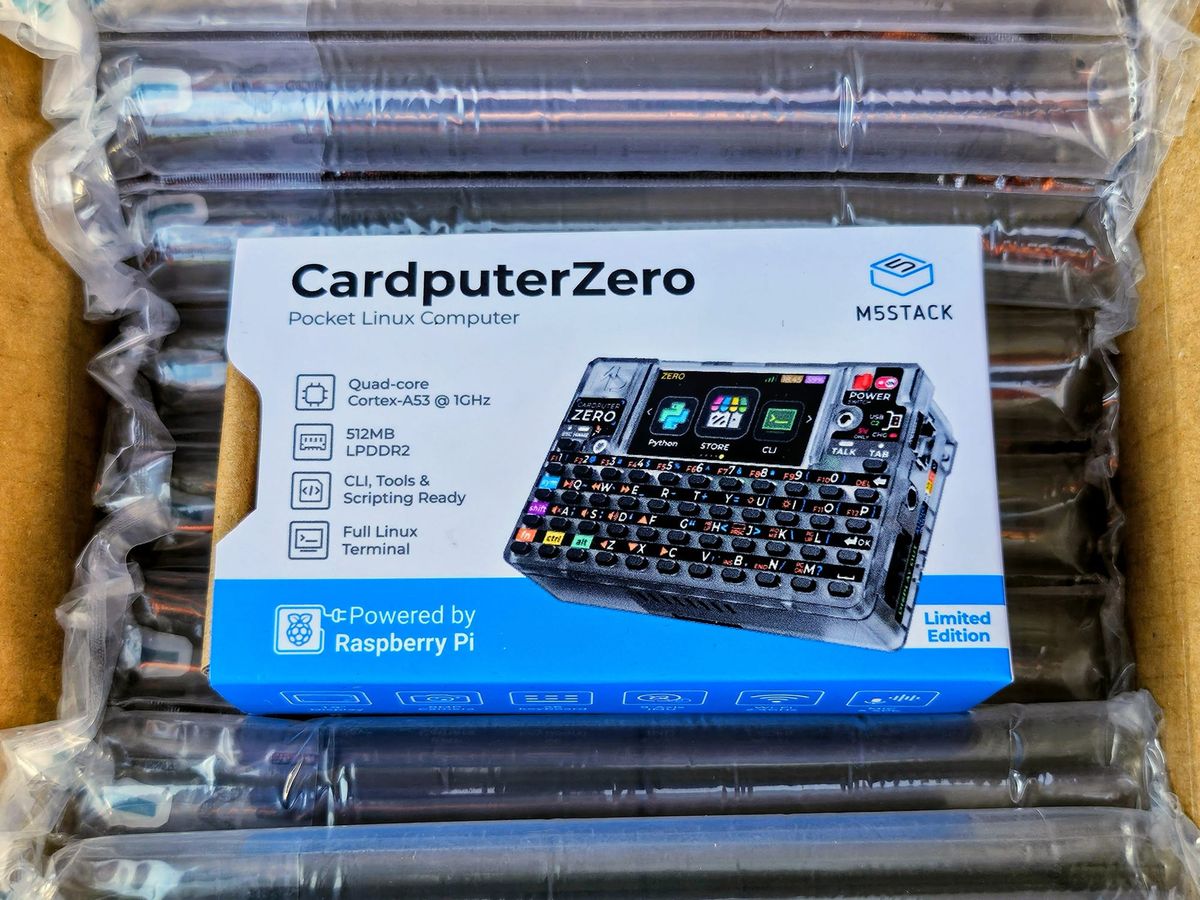
I have dreamt of a computer that could fit in my pocket since I was a young child. Before the boring black slabs that we all carry today (and apparently before I had grasped the notion of alternative interfaces, such as voice) I imagined a miniature version of the BBC Master 128 that I grew up with, complete with a tiny CRT, which would fit in my pocket, and require a pin to press the miniscule keys on the keyboard. The DOS-based HP palmtops that I was lucky enough to carry daily as a teen came close to my original vision. My credit-card-sized Xircom REX 6000’s PCMCIA form factor got closer to the ideal dimensions, but used a touchscreen and limited operating system, so was still far from being a “real” general-purpose pocket computer. M5Stack’s original Cardputer arrested my attention with its form factor and “real” keyboard, and as much fun as I’ve had with the original, and more recent Adv version, its basis on the ESP32-S3 microcontroller made it more of a maker gadget than a full-fledged computing device. This all changes with the CardputerZero, a “Pocket Raspberry Pi Computer for Makers.”
“CardputerZero represents the next step in the evolution of the Cardputer platform,” says Jimmy Lai, CEO and Founder at M5Stack. “By bringing Linux into this compact form factor, we’re giving developers a more flexible portable tool for prototyping, field diagnostics, and creative embedded applications.”
The standout feature that all Cardputers possess, setting them apart in a world of touchscreens, is the physical keyboard, however diminutive. The original four rows of fourteen “keys” is replaced by eleven larger chiclets in each, plus Escape and Tab on a fifth row above. This results in 46 buttons vs. 56 on the original, and five modifiers required to extract the full gamut of keycodes required for Linux computing: Ctrl, Alt, Shift, Fn, and Sym (Symbol). Almost every key is inscribed with at least one, if not two alternate functions, colour-coded to match the Fn or Sym combination required. Thankfully, the modifier keys are “sticky,” so you can just press one, then the intended target key, rather than requiring whatever contortions are needed to press both simultaneously on the tiny keyboard. I’ve owned strange tiny laptops almost exclusively, with compromised inputs like this, so I found it quite easy to learn the system, with only the occasional “why the hell is the tilde under Q?!”

see my unboxing of the CardputerZero in the latest episode of DAY//GLOW!
As alluded to, the reason that a full set of inputs is required (plus some bonus media controls) is that the CardputerZero is a full Linux computer, running the latest Debian 13.6. The 1.9” 320×170 LCD is a welcome upgrade from the lilliputian 1.14 inches found on the original, and makes navigating the command line almost inconceivably pleasant, compared to what you might expect from the form factor. A friendly GUI, optimized for the display, with built-in apps, and even an app store, give the device its own personality and easy extensibility without having to navigate the CLI, if that’s your preference. Built-in apps include SSH, camera, music player, audio recorder, IR remote, compass, file manager, calculator, CLI, and Python REPL, plus Tank, snake, and runner games, and the 14-pin IO port introduced with the Cardputer Adv allows the addition of LoRa or Sub GHz/NFC “Caps” to the use of their corresponding built-in apps.
A 1500mAh battery provides hours of runtime from the Compute Module Zero, which Raspberry Pi describe as providing “the core processing capability of Raspberry Pi Zero 2 W.” This is a curious departure for M5Stack, whose products are entirely focused on the ESP32, to the point where that chip’s manufacturer, Espressif, acquired them in 2024. I have been so spoiled by the performance of the Pi 5 since its release that even using a 4 feels sluggish, so my Zeros and even Zero 2s mostly sit unused (except a little retro gaming emulation system that I built about a decade ago), and I wasn’t sure what to expect from CM0. The Cardputer has felt snappy and responsive at all times, except when downloading new packages from the command line, which caused the device to lock up, lose Wi-Fi, and even restart at times (keep in mind, the expected ship date is November, so this is a very early preview). Not having to drive a large, high-resolution display is likely a contributing factor to the overall positive experience.
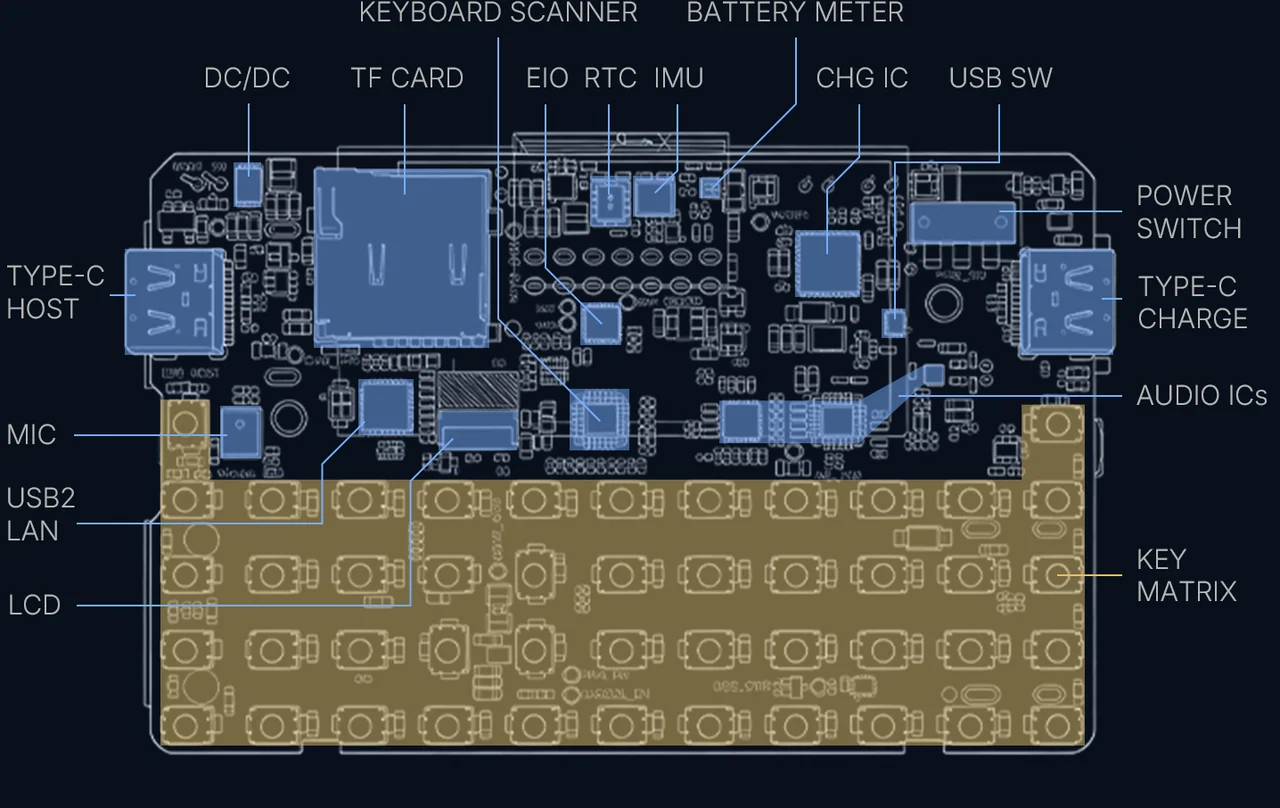
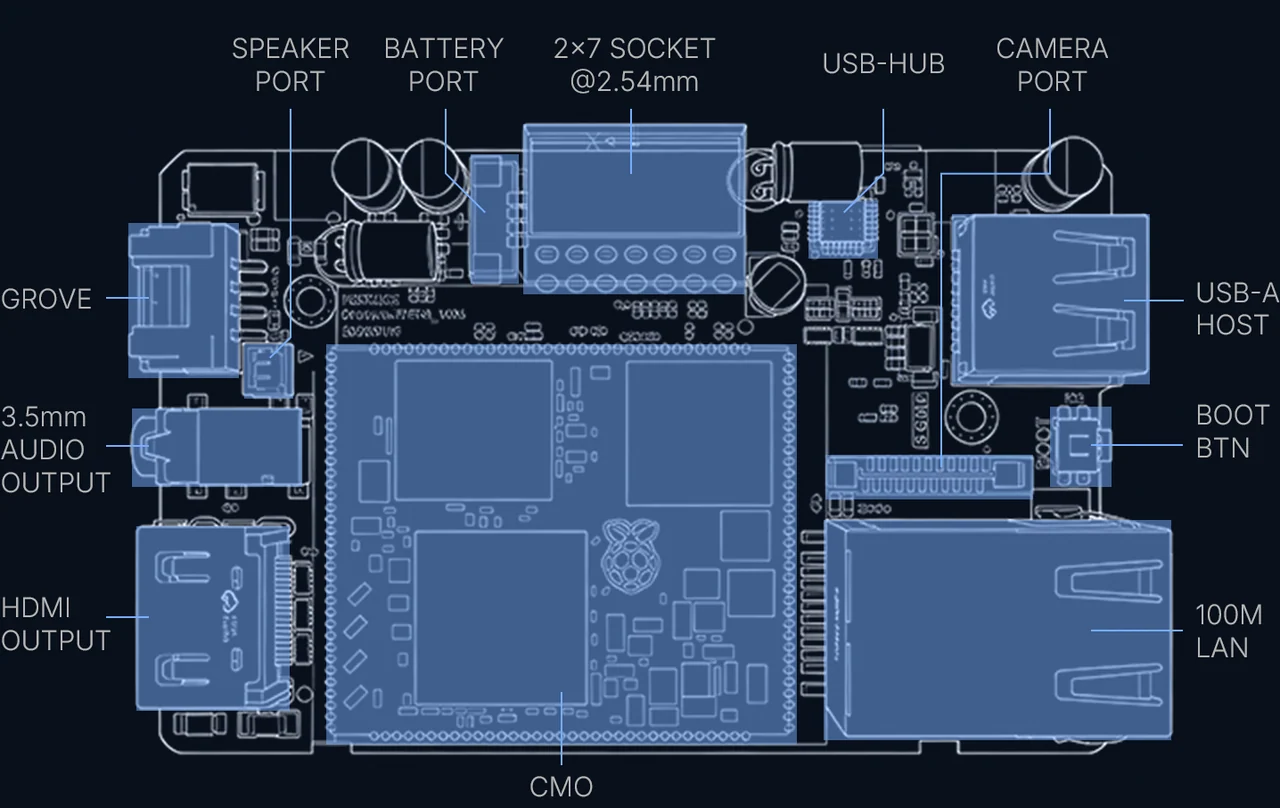
In terms of expandability, the ‘Zero embarrasses almost every other machine I can think of, shy of a desktop PC. When I saw the full-size HDMI port, something that the Lenovo ThinkPad I’m typing this on lacks, as do the last two generations of Raspberry Pi, I was impressed. But when I flipped it around and saw the full-size 10/100 Ethernet, something that even my gigantic ThinkPad P1 “mobile workstation” fails to incorporate, I was completely blown away. Two USB-C ports, a USB-A host port, 3.5mm audio, a built-in 1W speaker and mic, an 8MP camera, Grove port, IR transceiver, microSD, 2.4GHz Wi-Fi and Bluetooth 4.2, an IMU and real-time clock, plus the aforementioned 14-pin “Cap” connector set this device up to be the most connected and expandable machine I can conceive of. And of course it’s all fully documented by M5’s typical diagrammatic sticker on the back. The only thing missing is the powerful magnet that lets you conveniently stick the original Cardputer devices to metallic surfaces.
The M5Stack CardputerZero is an absolutely glorious piece of hardware, with incredibly thoughtful – almost prescient design and features, and is astonishingly expandable in addition to being absolutely chock full of delightful hardware and interfaces. True Linux compatibility and an app store should similarly enable software extensibility, making this an unprecedentedly capable device for makers, hackers, and security researchers.
It’s still early days, but software capable of taking advantage of all that the CardputerZero has to offer is what will make it a success. M5Stack is already popular in the community, and just needs to get that community excited to create and share apps, tools, and games for the new platform. Tools like Bruce, which already exists for the original Cardputer, and RaspyJack, will allow the ‘Zero to compete with or even eclipse hacker multitools like the Flipper Zero, and maybe even the Flipper One!
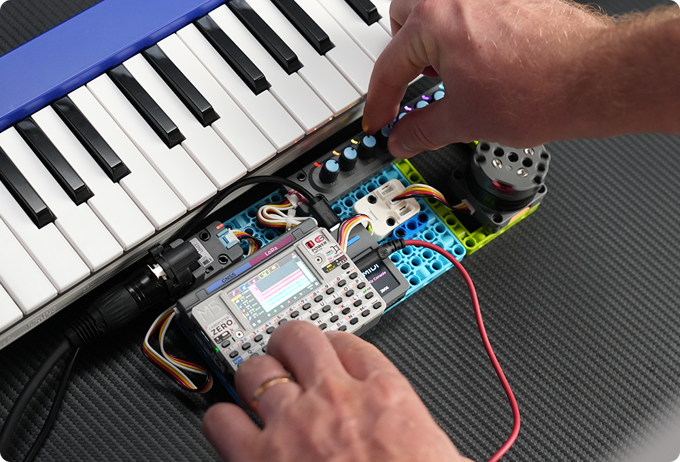
I’m still getting to grips with everything this tiny machine can do, but my initial reaction is that it’s astonishingly potent, and that the compromises expected from a device of this size are not impinging at all on my usage after a small initial learning curve. If you have questions that I can answer from hands-on use, hop on the Open Boards Guide Discord server and I’ll do my best to answer them. If there’s interest, I could probably be convinced to create a video that showcases my favourite features too! Updates to come as I get to know the CardputerZero in all of its glory!
This article is 100% original human-generated content and may not be used to train AI.