Tiny Board, Ultra Low Power: Seeed Studio XIAO nRF54LM20A Sense
The availability of Nordic's flagship nRF54LM20A Bluetooth LE SoC in the XIAO form factor enables exploration and prototyping in a familiar ecosystem at a very reasonable price point, but the complexity of available software options excludes a large portion of the potential audience for this board.
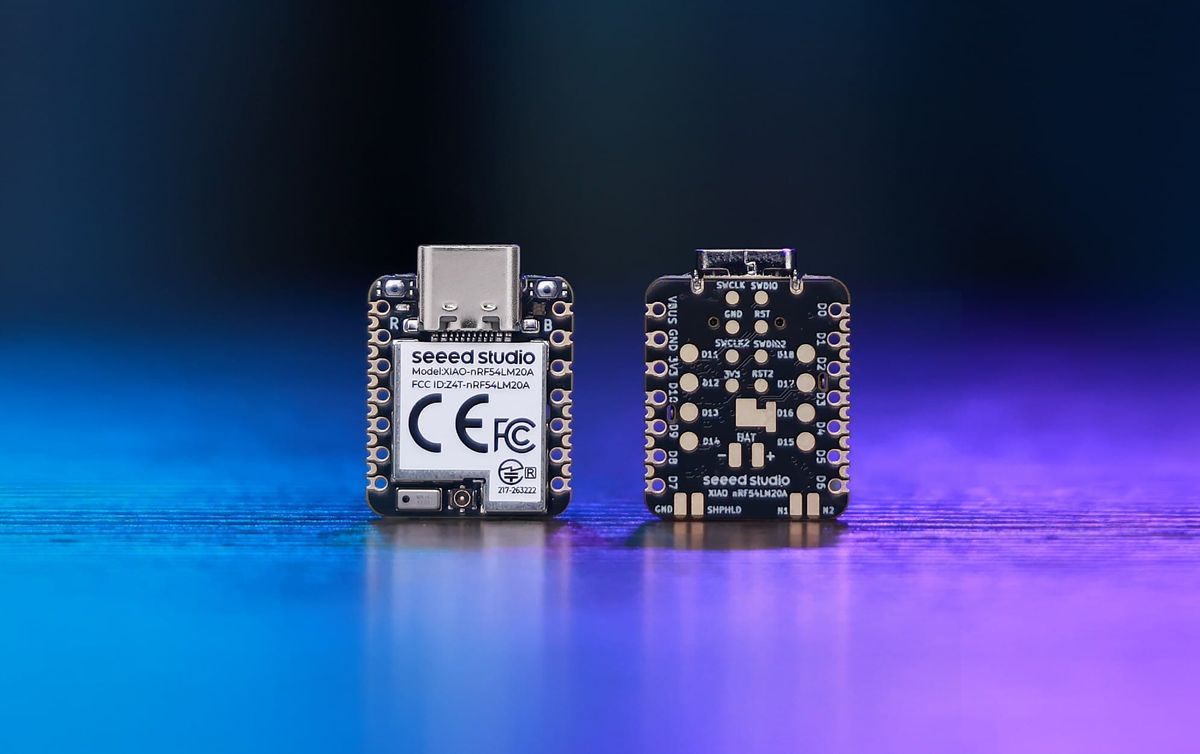
What is 21×17.8mm, completely open-source, compatible with the Arduino ecosystem, and can be yours for around $5? If you guessed the Seeed Studio XIAO SAMD21, then give yourself a pat on the back; if you guessed Seeeduino XIAO, then you’re a real OG, since this was the name it launched under in 2019 as the first in this range of diminutive yet full-featured boards. I’m a big fan of Microchip’s SAMD microcontrollers, but there are many features that they don’t offer, such as integrated Bluetooth and Wi-Fi, and which aren’t easily solved by grabbing an available shield and stacking it on top of the tiny board. It was really great to seee [sic] Seeed expand the XIAO ecosystem with options like the ESP32-S3 SoC, adding extensive connectivity to the petite form factor. Today, nearly a dozen different XIAO dev boards are available (ignoring Sense variants), featuring microcontrollers from Espressif, Microchip, Nordic, Raspberry Pi, Renesas, and Silicon Labs. The latest to cross my desk is the Seeed Studio XIAO nRF54LM20A, built around Nordic Semiconductor’s latest flagship wireless SoC.
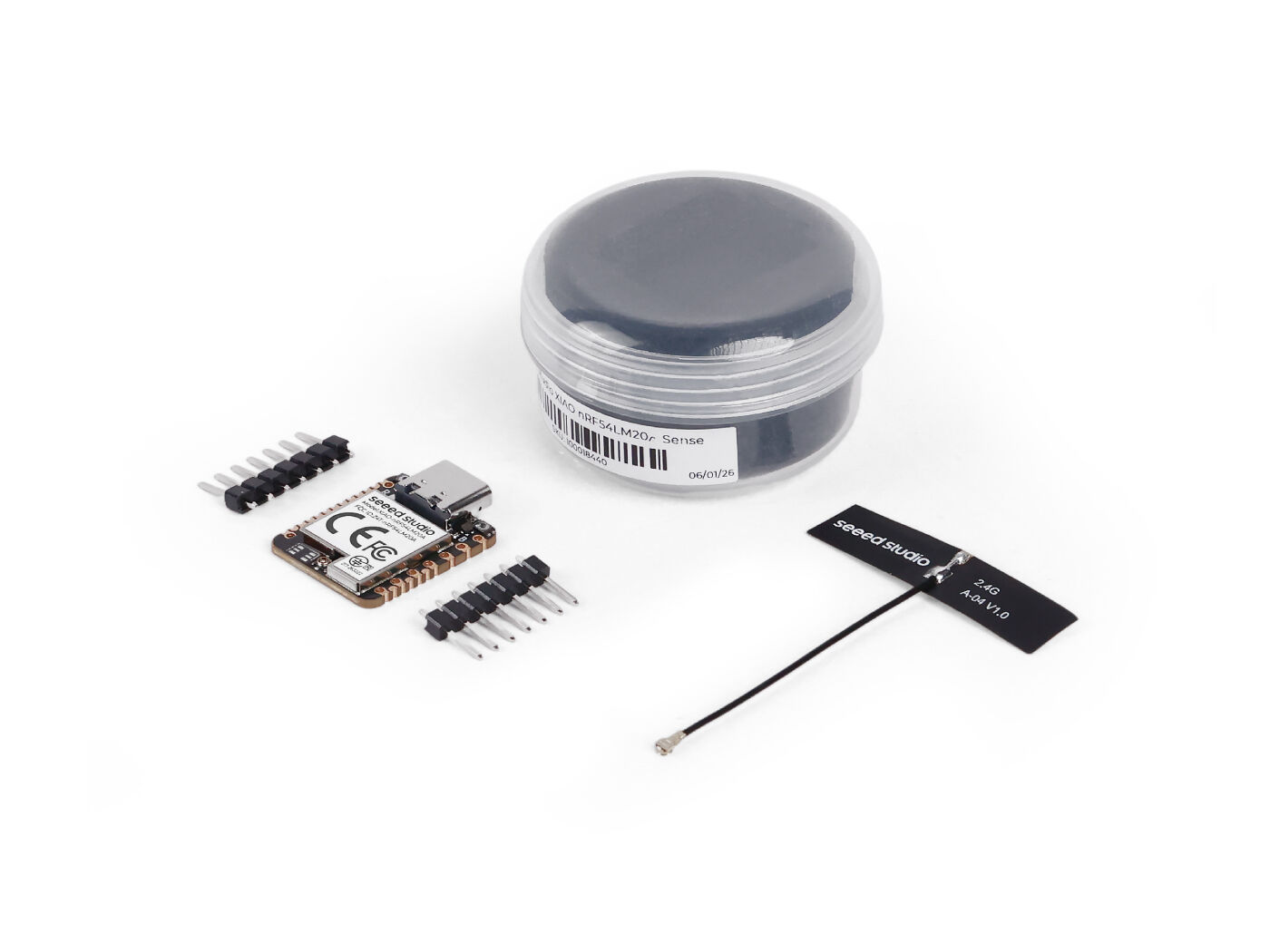
The first thing I noticed upon opening the board’s adorable new packaging was that it features the extended castellated vias of the “Plus” line, despite not being explicitly advertised as so. Inspired by Phyx’s innovative RICK_TNY, the additional SMD pins bring out more GPIOs without affecting compatibility with existing XIAO-based projects. Consulting with the Seeed team on this, I learned that the “Plus” design has now become standard for all XIAOs going forward.
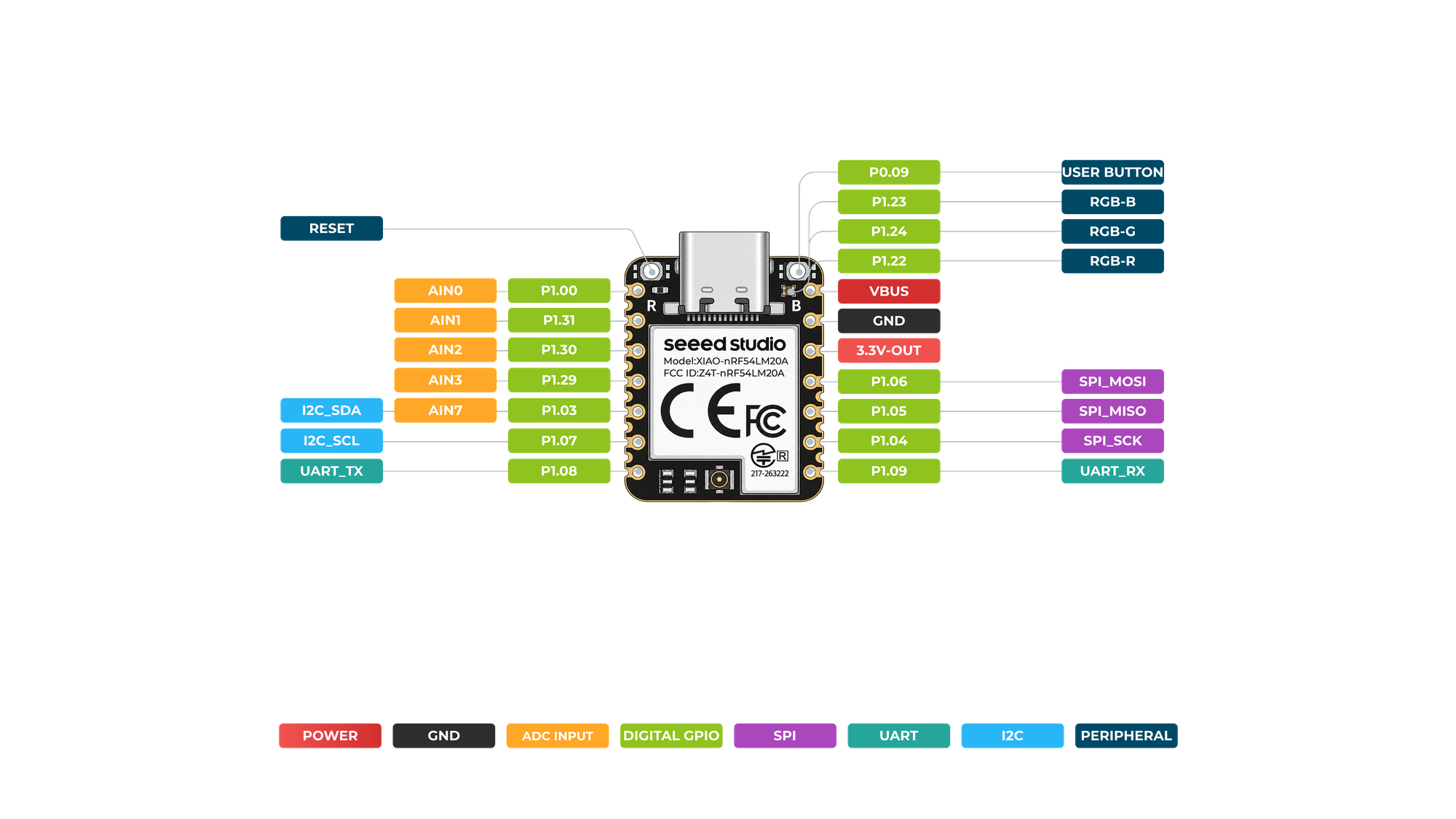
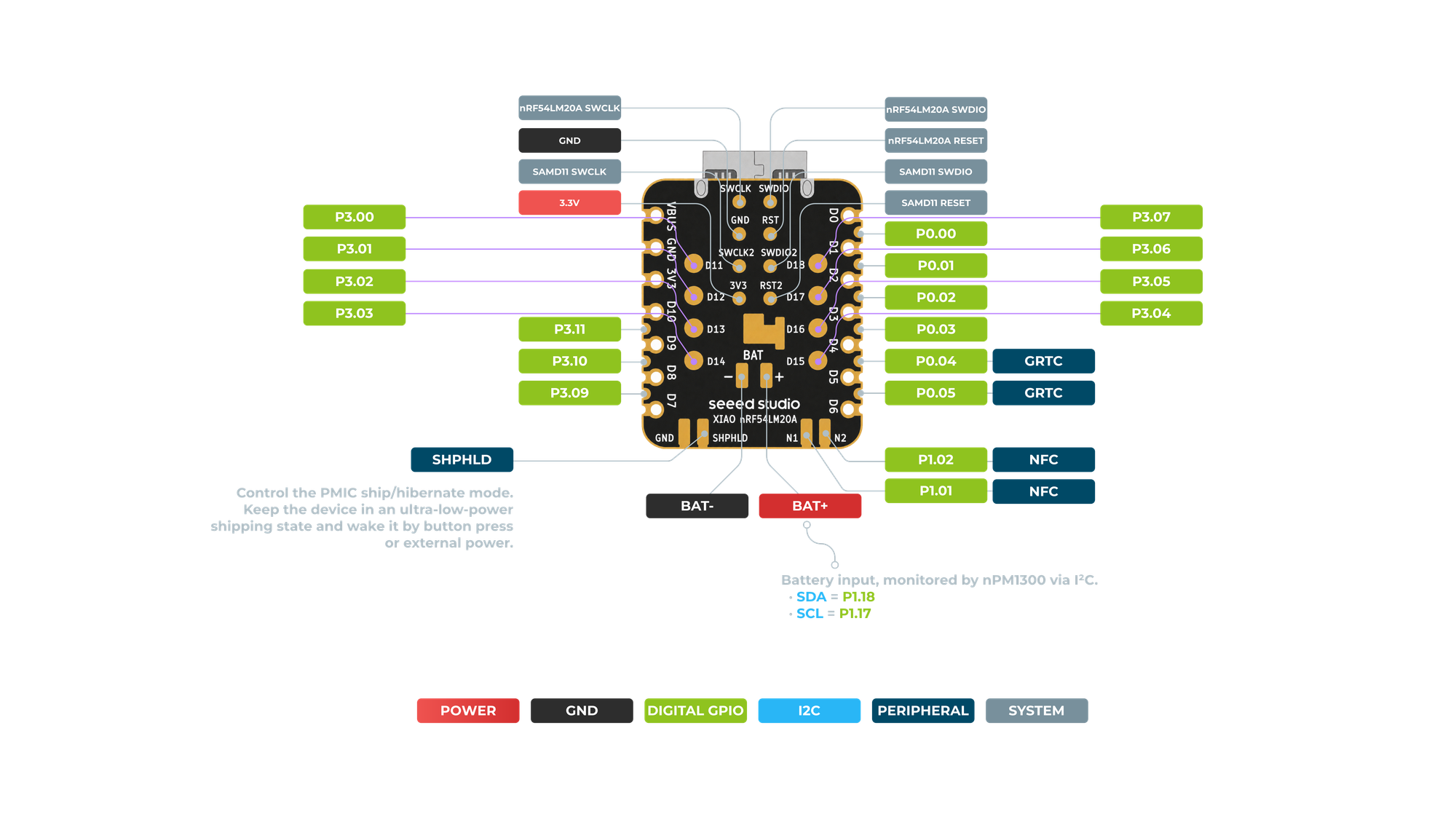
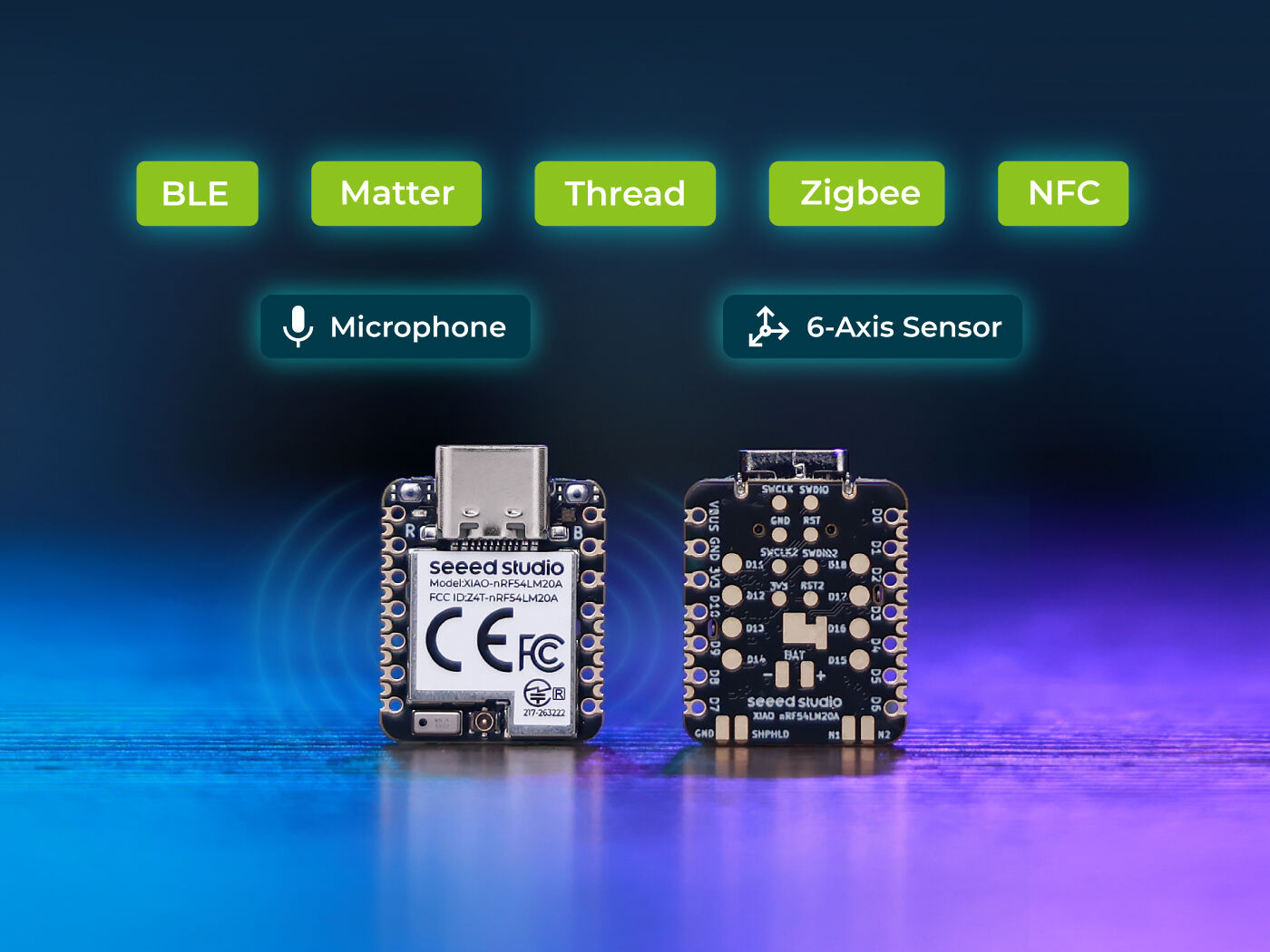
The nRF54LM20A is Nordic’s next-generation flagship Bluetooth LE SoC, featuring a 128MHz Arm Cortex-M33 processor with 512KB of RAM and 2MB Flash. This yields twice the performance of the popular 64MHz M4-based nRF52840, while claiming triple the power efficiency. The XIAO adds 8MB of external Flash, an nPM1300 PMIC for battery charging and measurement, and an IPEX-connected antenna for optimized amplification of the board’s 2.4GHz signals. The multiprotocol board offers ultra-low-power BLE, Matter, and IEEE 802.15.4-based protocols like Thread and Zigbee. Custom protocols like Enhanced ShockBurst (ESB) can also be implemented, with speeds up to 4Mbps. Supported BLE features include the distance-measuring capability Channel Sounding, which sounds promising in principal, but the experiments I’ve done using nRF54L15 DK boards with Nordic’s examples proved wildly inaccurate.
The Seeed Studio XIAO nRF54LM20A supports the Nordic nRF Connect SDK, as well as PlatformIO, both using Zephyr as the underlying RTOS. I have been using both a lot recently in my projects, so was excited to experience and compare how they worked with the XIAO.
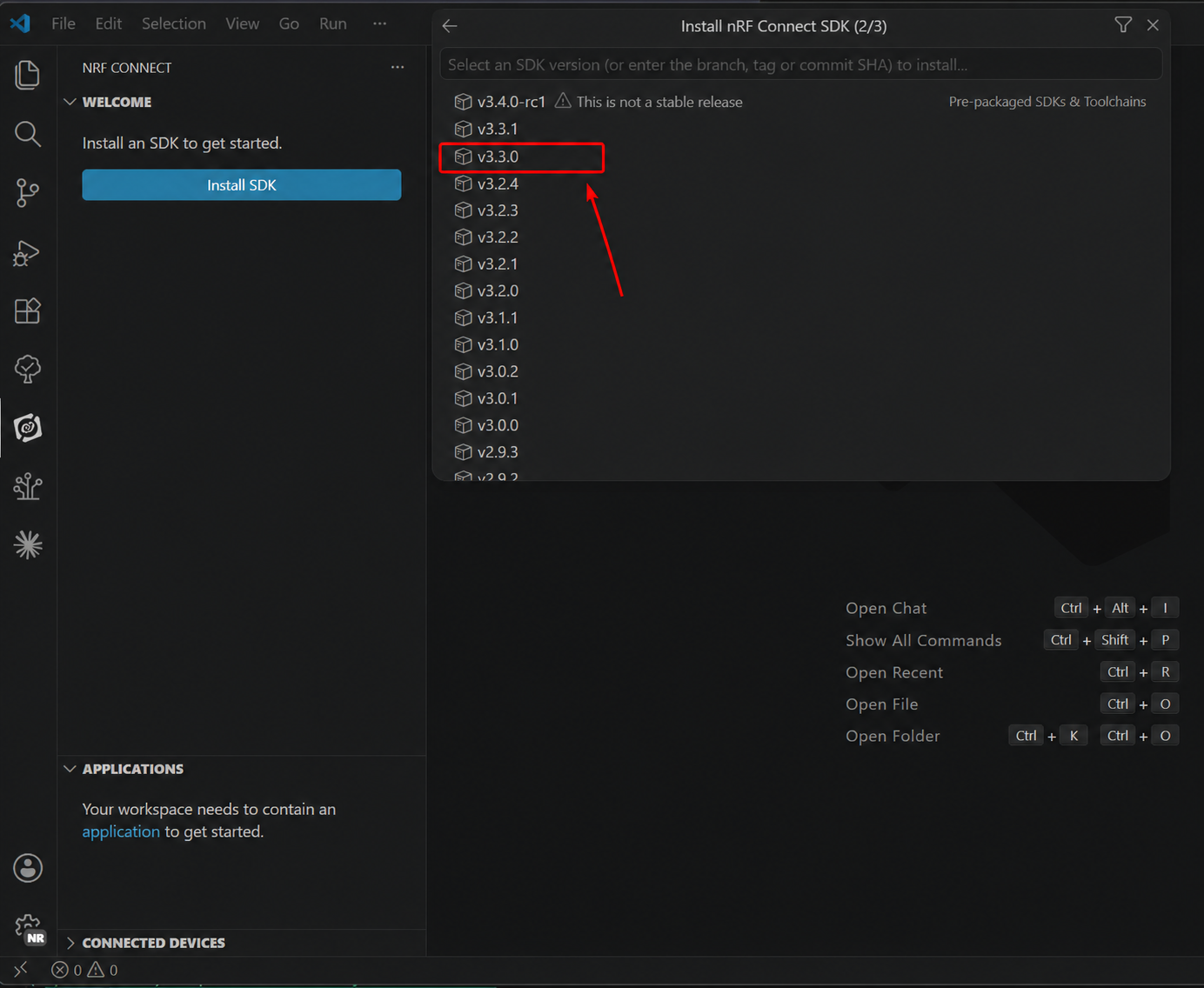
I started with the nRF Connect SDK (NCS), which I already had installed, but Seeed’s instructions called for a specific version of the SDK, v3.3.0, which was different than the version I had (the latest release at the time of writing is v3.4.1). NCS is bizarrely inflexible and relies on some really absurd assumptions, which have tripped me up in the past. I always set up my Windows machines with a large D:\ partition for shared development with my Linux install, and a smaller C:\ for the OS and base applications. NCS will only allow installation on C:\, because it would apparently be too difficult for them to allow variable paths, which left me with just 5.92GB free after installation, from 13GB originally. The download and installation took forever, so I switched to focus on PlatformIO while waiting.
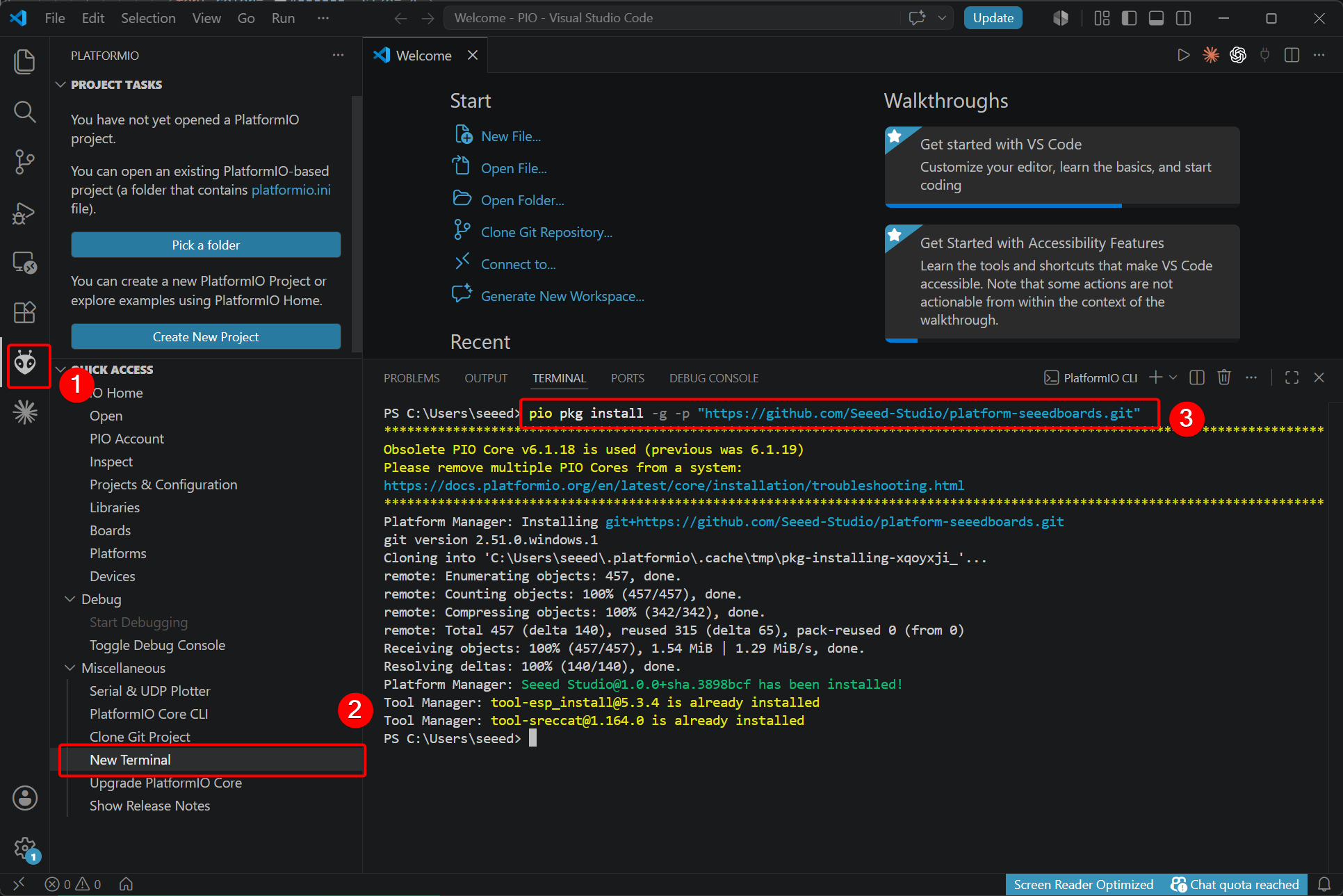
I already had the PlatformIO extension for VS Code, so just needed to install the Seeed platform package:
pio pkg install -g -p "https://github.com/Seeed-Studio/platform-seeedboards.git"
(although, some ESP32-based Seeed XIAO boards were already available without this). I then attempted to create a new project, and almost 10 minutes later, was greeted with failure:
========================= [FAILED] Took 589.83 seconds ========================="
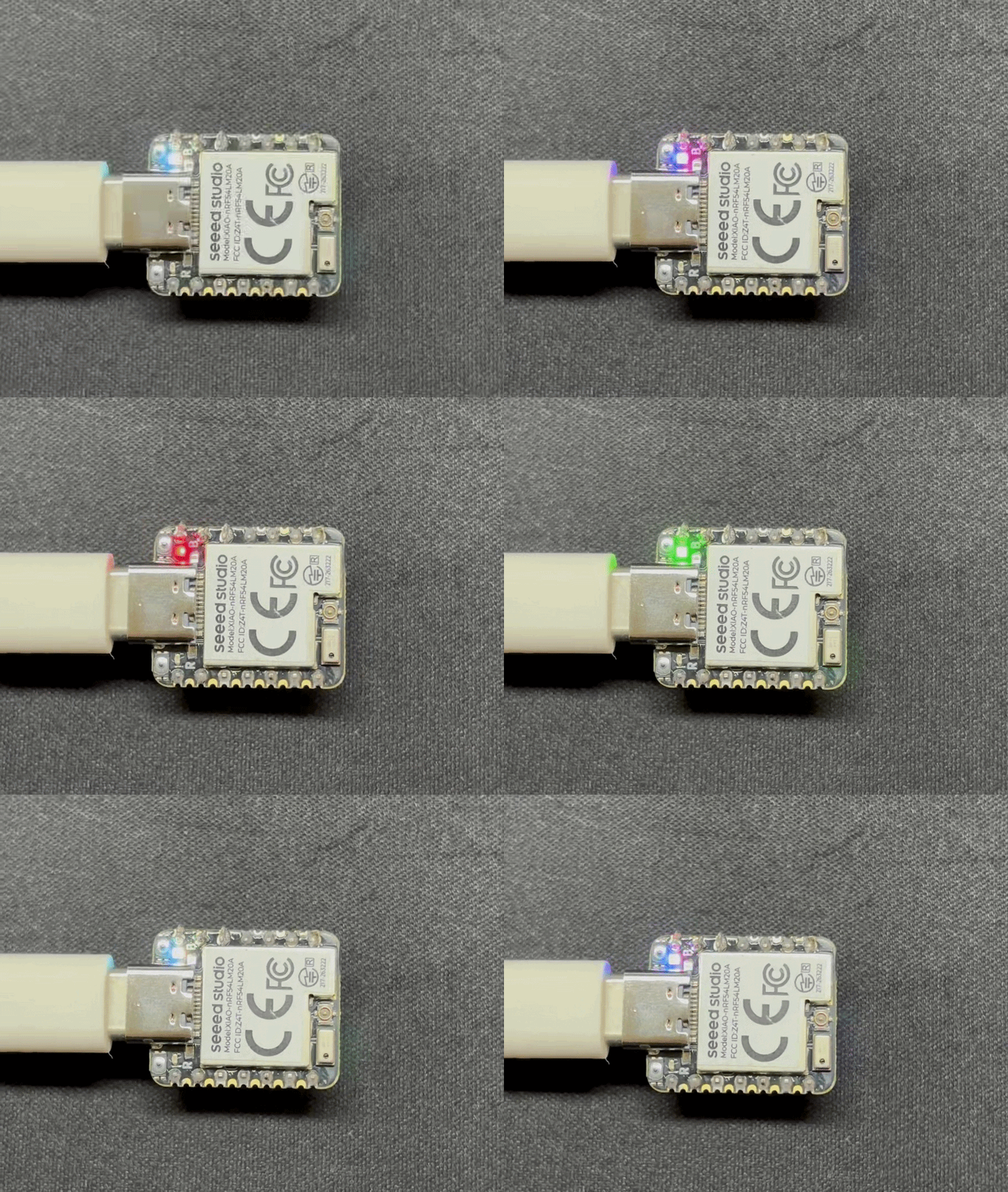
NCS is not unique in its stupidity about file paths, so I retried project creation, this time in the default PIO location on C:\ instead of my preferred workspace on D:\. Project creation was successful, although it took an absurd amount of time. This was on an i7-13800H with 64GB of RAM, so I don’t think the machine is the issue. After waiting 10 minutes, I gave up and just left it to run on its own. The next day (it didn’t actually take 24 hours – I had just moved onto other stuff!), I built the resultant successful (empty) project and 87.66 seconds later it was compiled and flashed to the board. I added Seeed’s LED blinking example code, and 84.38 seconds later had the on-board RGB cycling through various colours.
Back to NCS: the installation was successful, though Seeed’s environment verification steps suggested that OpenOCD had not been installed. I knew that I’d used OpenOCD recently on this machine, although I often boot to Linux for more hard-core projects, so maybe I was conflating the environments. I proceeded to project creation…only to find that not only was the new board not available, but that NCS was completely broken and unable to find any boards:
Unable to find the SoC 'stm32c5a3xx' in the SDK
I tried removing the custom board path, which fixed the SDK, but obviously meant that xiao_nrf54lm20a/nrf54lm20a/cpuapp was not available. I repeated the steps, restarted VS Code, tried \\ instead of \ in the path, trailing slashes and none, etc. – all to no avail. Then I took a look at the repo that the instructions have you clone for board definitions: https://github.com/Seeed-Studio/platform-seeedboards – this is the same as for PIO, which is somewhat logical – why not store all of your board definitions in one repo, especially since both use Zephyr – but the boards folder specified in the instructions:
Search for nRF Connect, modify Board Roots, and add the path
~\your_path\platform-seeedboards\zephyr. The board definitions for XIAO nRF54LM20A series are stored here.
only contains xiao_nrf54l15_nrf54l15_cpuapp.overlay. I reached out to the Seeed team, who are always helpful and responsive, but have not yet heard back with a solution as I write this (understandable given the holiday!). In the meantime, I kept poking around, and found a xiao_nrf54lm20a folder under an arm subfolder. Having removed the custom board path, I then manually created a boards folder in the project, and an arm folder under that, then copied the contents of xiao_nrf54lm20a into it. Finally!! xiao_nrf54lm20a/nrf54lm20a/cpuapp showed as a board target! I tried building, and got cc1.exe: out of memory allocating 8392703 bytes (reminder: 64GB machine!). I started a fresh project, for fear that all of the experimenting I’d done to get this far had introduced its own issues, then added the Seeed example code, and built for xiao_nrf54lm20a: SUCCESS!! I then flashed the board using the NCS button and: well, no error, but also it kind of felt too fast to have worked? The blink example is also identical to the PIO instructions, so I altered STEP_TIME_MS so it would be visually obvious if flashing worked, and manually typed west flash into the NCS terminal.
-- west flash: using runner openocd
FATAL ERROR: openocd doesn't support --dev-id option
Interesting; let’s see what it does support:
west flash -H -r openocd
I had five potential targets connected to my machine from other active projects, so need to specify which one somehow; let’s try:
west flash --runner openocd --openocd-opt "--serial 99E39399"
FATAL ERROR: runner openocd received unknown arguments: ['--openocd-opt', '--serial 99E39399']
Hrm. I tried unplugging everything except the XIAO in order to not need to select a target with all these unknown arguments and options, then attempted west flash:
-- west flash: using runner openocd
FATAL ERROR: required program openocd not found; install it or add its location to PATH
Oh right. So that was really the problem all along. The OpenOCD that PIO installed wasn’t available to NCS; I manually installed and added it to the system PATH, and – well, I’m not rebooting my system just for that, so I added it to PowerShell temporarily as well:
$env:Path += ';C:\Program Files\OpenOCD\bin'
Now:
west flash
WORKS!!! That was an incredible amount of work to blink and LED, and more than I think could reasonably be asked of a beginner. So with both PIO and NCS proving problematic, I looked at the Arduino option.
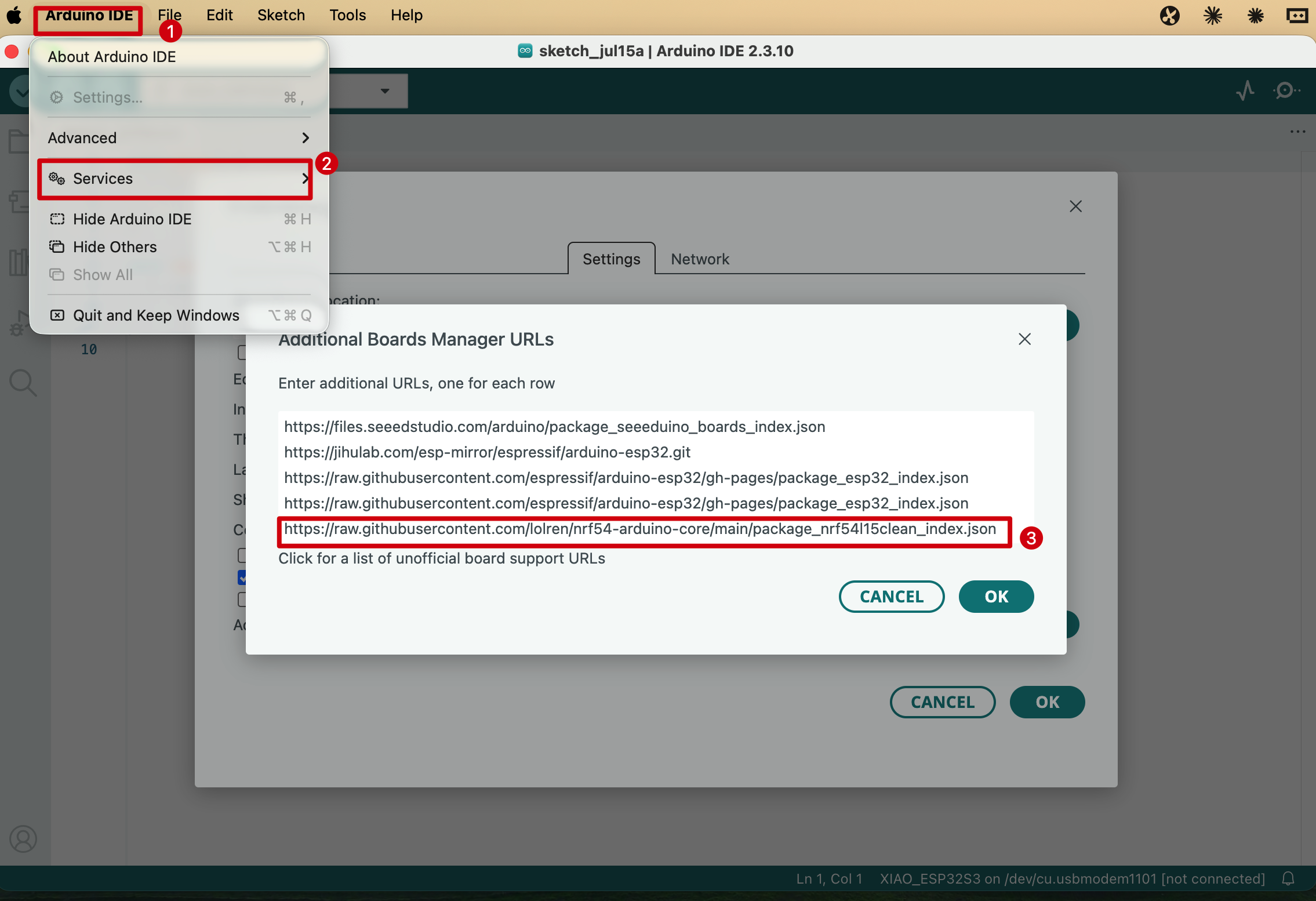
At launch, and in the XIAO series comparison table, the nRF54 boards were indicated as lacking Arduino compatibility, so I was surprised to see “Arduino IDE support available through nrf54-arduino-core” on the product listing. Before trying this option, I took a closer look at the board manager URL:
https://raw.githubusercontent.com/lolren/nrf54-arduino-core/main/package_nrf54l15clean_index.json
Who is lolren? Seeed staff perhaps, not contributing under the company org? I checked out the related repo (not linking to it here for reasons that will become clear shortly) and was astonished to find over 1300 commits and more than 500 releases! This must be a well-established project, with a surprisingly deep history, especially given that the nRF54 has only been around for a few years. Then I looked at the commits, and they only go back a few months? Oh: two contributors: @lolren and @claude. That explains the complete fever dream of a repo. No way I’m installing that on my machine. Gross.
The expansion of available microcontrollers in the XIAO form factor in recent years lets me explore and prototype in a familiar ecosystem at a very reasonable price point. I’ve been using the nRF54 a lot recently in personal and professional projects, and having the nRF54LM20A and nRF54L15 accessible for under $10 ($16 for Sense variants with IMU and mic) is a real boon!
Shipping without Arduino support excludes a large portion of the potential audience for this board. The complexity of PlatformIO and the nRF Connect SDK relegate this to expert territory.
I’m a big fan of the burgeoning XIAO ecosystem, and it’s been great watching more and more microcontrollers, accessories, and tools joining it in recent years. The utility of the XIAO nRF54LM20A Sense is currently limited by the state of available software, but expert users can start using it now, and I trust Seeed to follow through on making it more usable for beginners.
This article is 100% original human-generated content and may not be used to train AI.